
We would like to introduce the modeling capabilities of CADmeister.
CADmeister provides a flexible modeling environment optimized for mold/press die design.
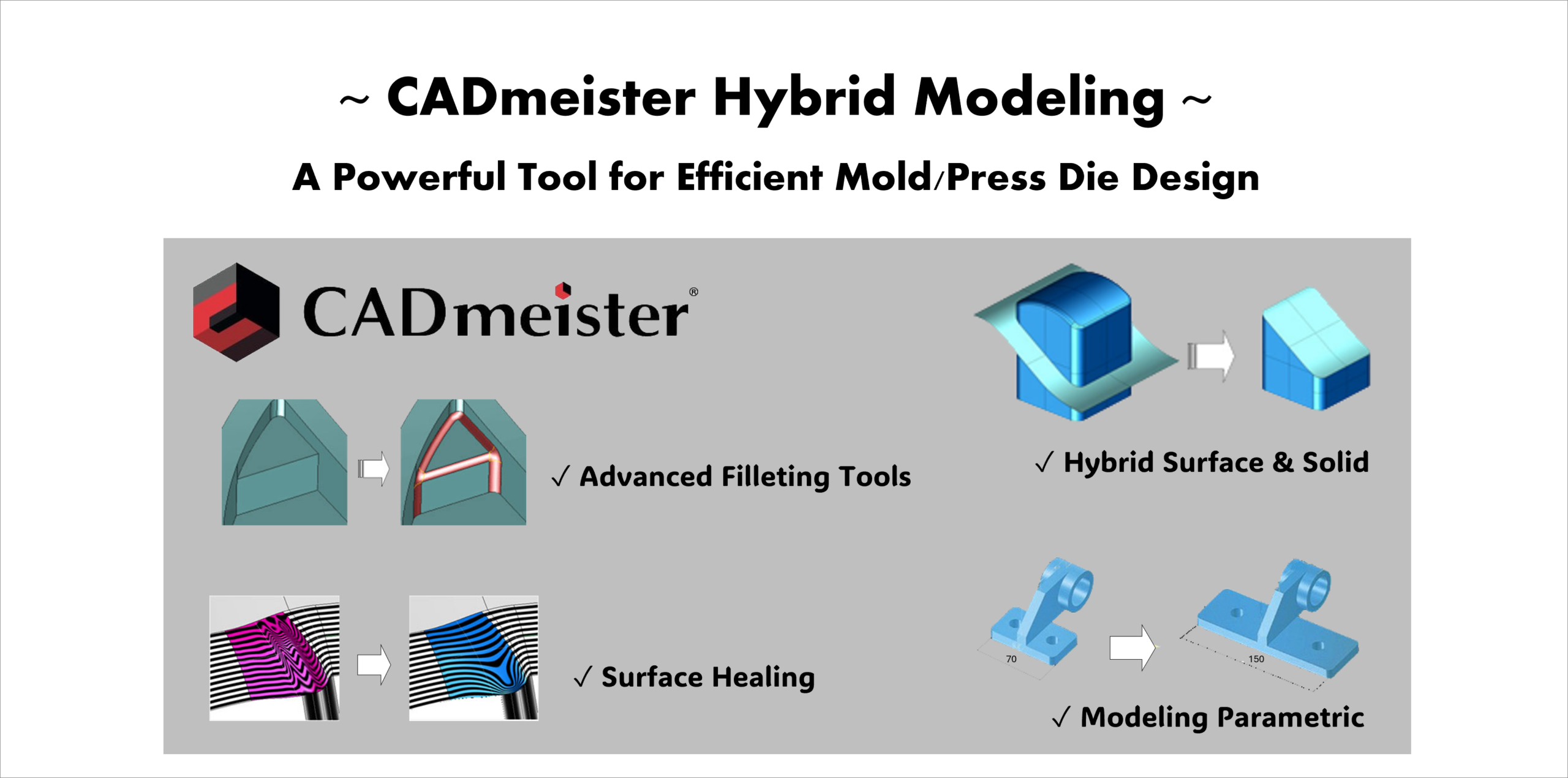
- Enables efficient design even for product shapes with freeform surfaces and complex radii.
- Streamlines mold design—from product modeling based on product geometry to cavity/core creation and surface quality improvement.
[CADmeister Modeling Functions」― Why Mold/Press Die Designers Choose CADmeister
- Hybrid surface and solid modeling
- Parametric and non-parametric design
- Advanced fillet functions
- Surface quality refinement tools
- Extensive data exchange options
1. Hybrid surface and solid modeling

Product shapes often include many free-form surfaces, which are highly complex, making the shape-related areas of die design and modifications challenging.
CADmeister is a hybrid modeler that allows you to work with wireframe, surface, and solid data together.
You can also perform boolean operations (union, subtract, and intersect) between surfaces and solids, so you can model without worrying about the differences in data types.
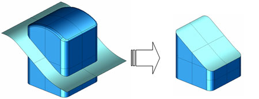
For example, you can directly perform operations between product geometry (surface) and a mold block (solid). This makes cavity and core creation much more efficient.

We often receive product data as surface models, so being able to create cavities and cores without converting them into solids sounds very convenient.
It seems well suited for mold design.
2. Parametric and non-parametric design

We often receive IGES or STEP data from customers. Can those files be edited?
Yes, absolutely.
In CADmeister, you can use both parametric and non-parametric design.
You can even start modeling directly from imported data such as IGES files.
How about when design changes occur?
No problem!
With parametric features, you can easily make dimension changes and design modifications.
It is also very convenient when reusing existing mold design data.
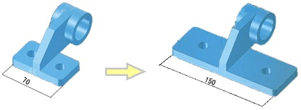
It is useful that we can choose between parametric and non-parametric modeling depending on the purpose.
- Non-parametric: Direct geometry editing for quick modifications
- Parametric: Dimension-based control for design changes
3. Advanced fillet functions
Product shapes usually contain many radii. Is it easy to create fillets?
Yes!
CADmeister provides a variety of fillet functions such as section fillets, planar fillets, and variable fillets etc..
With the automatic fillet function, the system can automatically detect edges and create fillets.
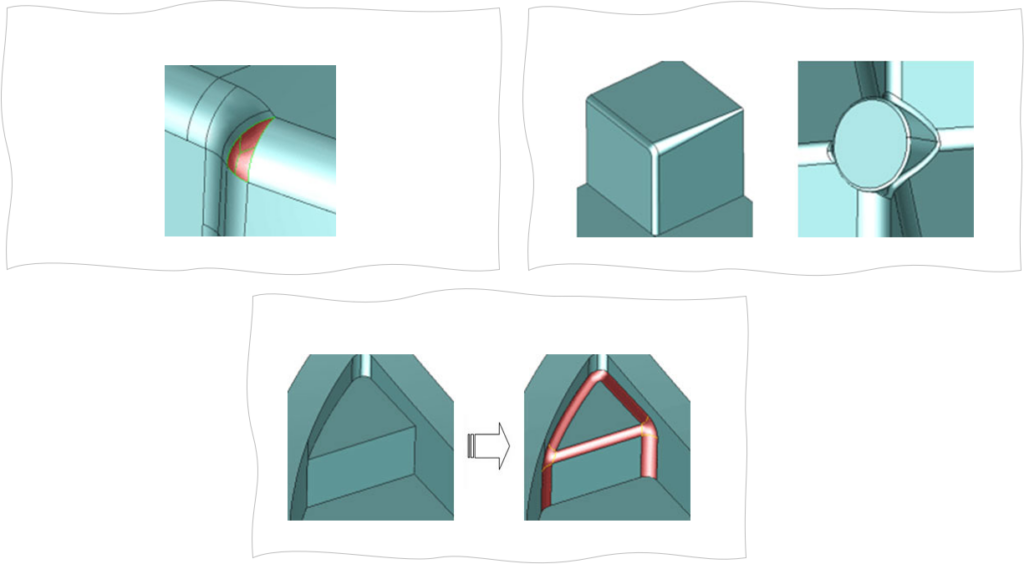
There is also a function that removes fillet surfaces from imported product data and restores sharp edges.
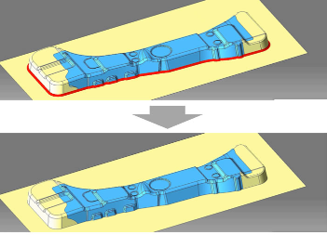
Can it handle unspecified radii shown on drawings?
Yes.
Using the automatic fillet function, you can efficiently apply fillets to those edges as well.
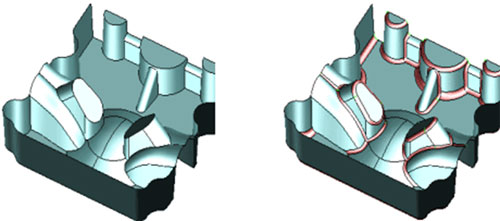
Mold Die designs often include many small radii, so automatically detecting edges and applying fillets with less effort would be very helpful.
4. Surface quality refinement tools
Sometimes the surface quality becomes poor at fillet intersections.
CADmeister has a surface healing function.
It can rebuild wrinkled or folded surfaces—often found at fillet intersections—into smooth surfaces that maintain continuity with surrounding surfaces.
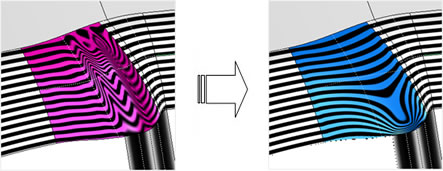
Improving surface quality helps generate better toolpaths and machining quality in CAM!
4. Extensive data exchange options
CADmeister provides both standard data conversion functions and optional data exchange modules.
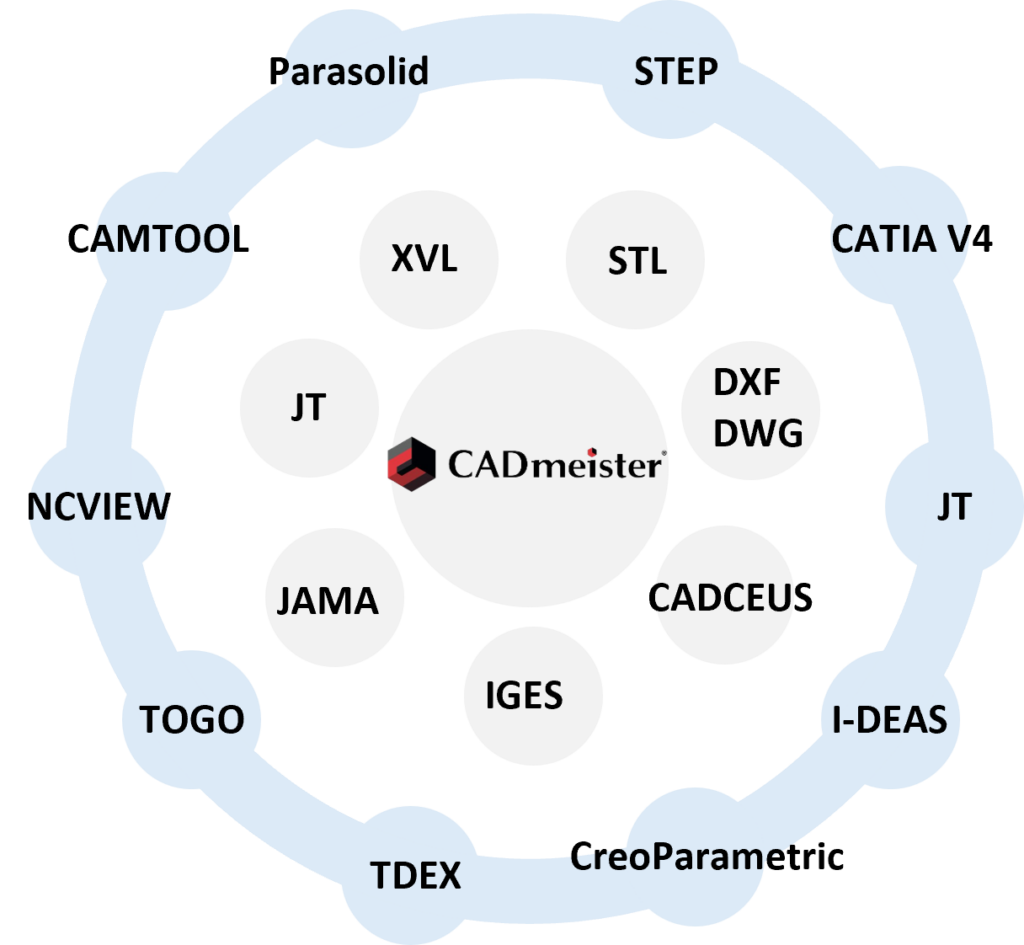
It is good that basic data conversion is included, and more options can be added if needed.
This will make it easier to work with partners who use different CAD systems.
CADmeister has all the modeling functions needed for mold design.
It should work well in real design work.
Please contact us.